
Voithos AI & CleverStaff: A Step-by-Step Guide
We have some great, long-awaited news: Voithos AI, the AI assistant for online meetings, is now integrated with CleverStaff. This means CleverStaff users can use it during candidate interviews. How does it work? Let’s go through it step by step.
What Can Voithos AI Do?
As a reminder, Voithos AI, the AI assistant for online meetings:
- easily joins Google Meet and Microsoft Teams meetings;
- automatically records interviews;
- provides structured AI summaries after every conversation;
- delivers highly accurate Ukrainian-language transcriptions.
As a result, recruiters spend less time processing interviews, have structured information about candidates, and can return to the communication history with any applicant at any time. In this way, Voithos AI automates candidate communication and significantly reduces recruiters’ workload.
Connecting Voithos AI & CleverStaff
Important! First, we recommend checking whether your calendar (Google or Outlook) is integrated with CleverStaff. This is required because Voithos AI can only be added to Google Meet or Microsoft Teams online meetings, which work through the integration of the corresponding calendars.
There are two ways to connect Voithos AI in CleverStaff.
Option 1: Via the “Recruiting/HR Integrations” Section
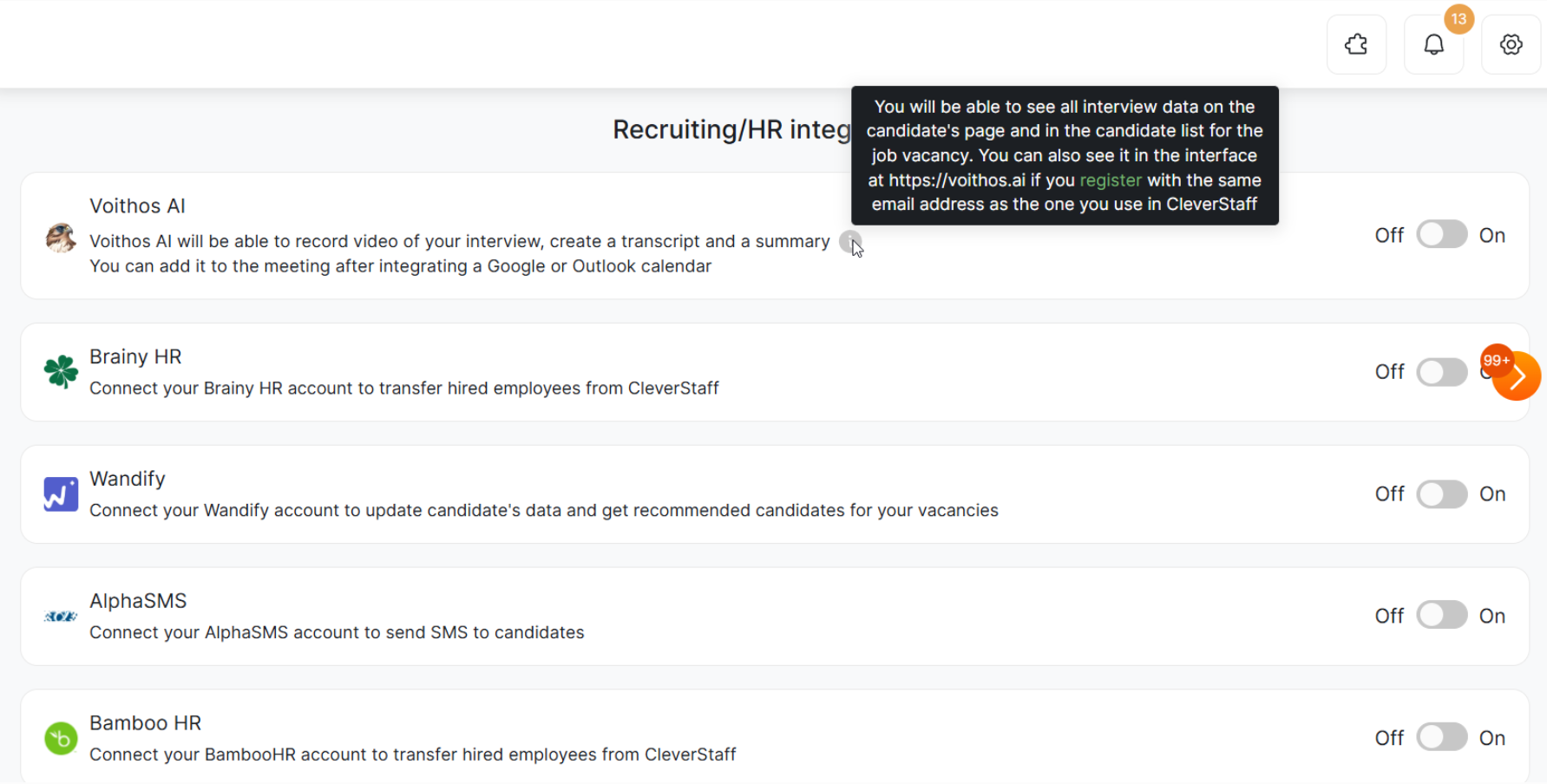
Log in to CleverStaff, go to the “Recruiting/HR Integrations” section, find Voithos AI, and click “Enable”.
Option 2: Connect Voithos AI at the Interview Stage
Log in to CleverStaff and follow these steps:
- go to the “Vacancies” section;
- select the candidate;
- choose the required stage of the “Interview” type (for example, an HR interview, technical interview, or interview with a manager);
- set the required date and time;
- create a meeting in Google Meet or Microsoft Teams;
- select “Invite Voithos AI as an AI assistant” and click “Move”.
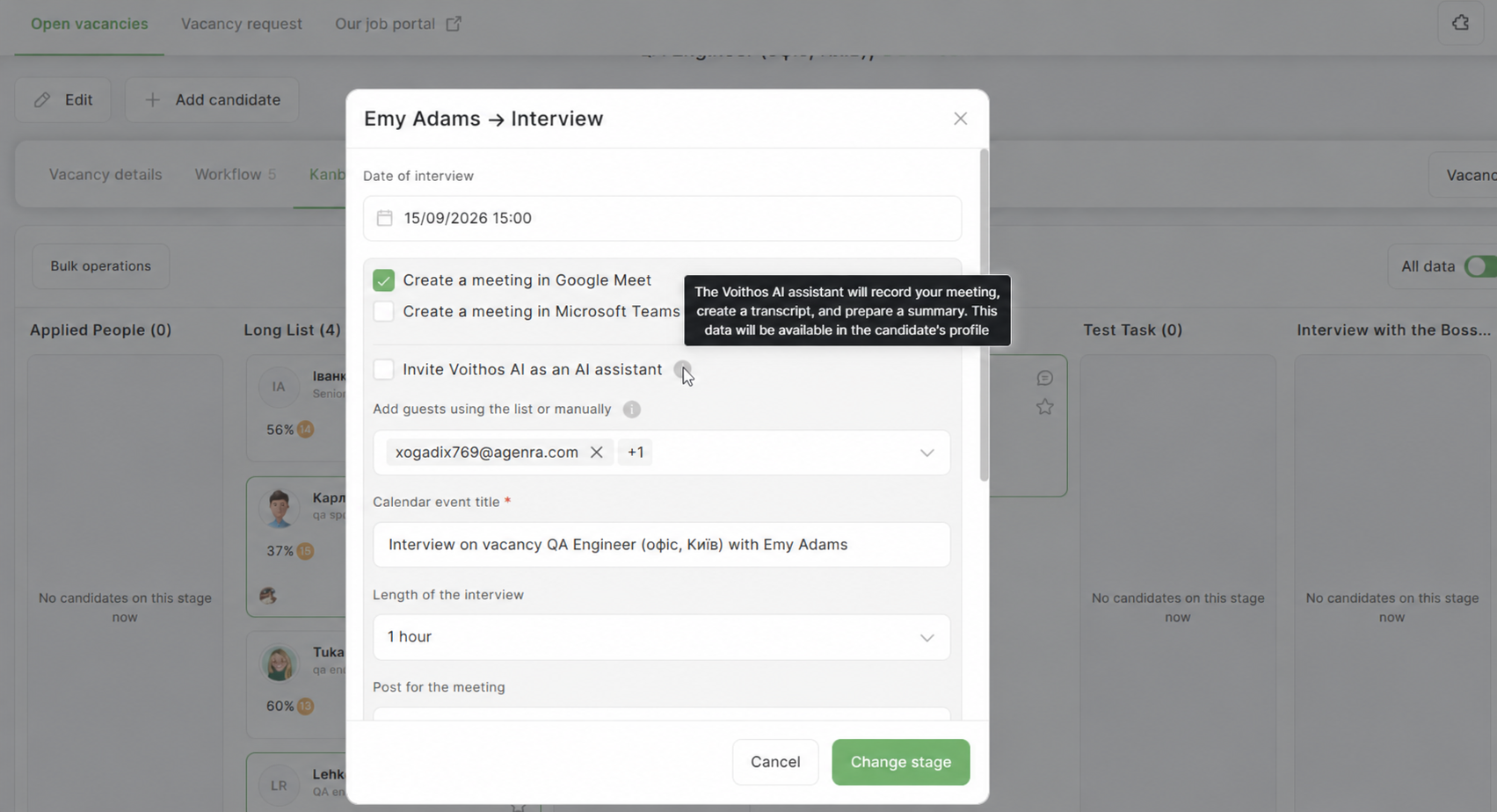
That’s it! Voithos AI will join the interview, record the meeting, create a transcription, prepare a summary, and save the data in the candidate’s profile.
How to Access the Voithos AI Interface Directly
When a CleverStaff user adds Voithos AI to an interview for the first time, the system automatically checks the user’s email address.
If the user already has a Voithos AI account, it is automatically linked to their CleverStaff account. If there is no account, Voithos AI creates one. To access Voithos AI afterward, the user needs to register at https://voithos.ai/ using the same email address. The accounts will be synchronized automatically.
After that, the user will also be able to log in to Voithos AI separately and use its interface.
Voithos AI Has Joined the Interview — What Does the User Get?
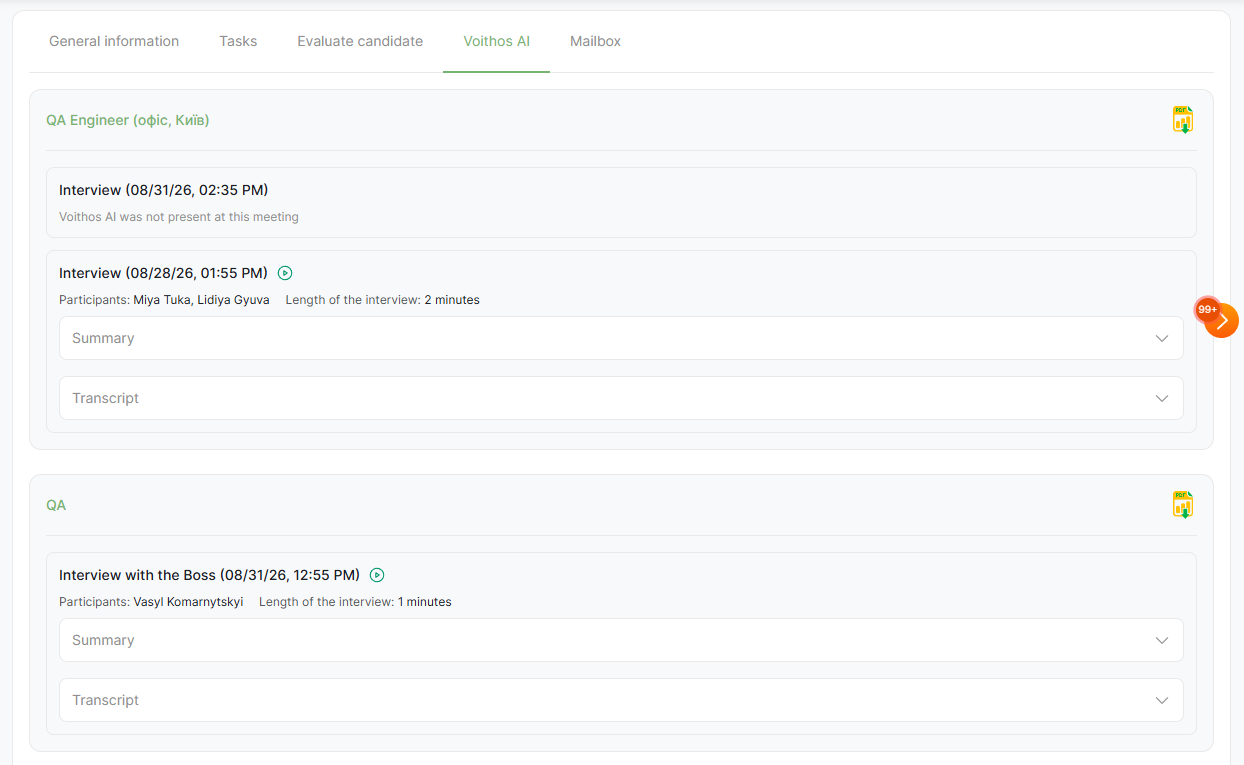
Once the interview is over, the recruiter does not need to open Voithos AI separately to find the results. All interview information is available directly in the candidate’s CleverStaff profile. A separate Voithos AI tab appears there. By opening it, the recruiter can see detailed interview information, including the vacancy, hiring stage, date and time, meeting participants, and more. The meeting recording, summary, and full transcription are also available there.
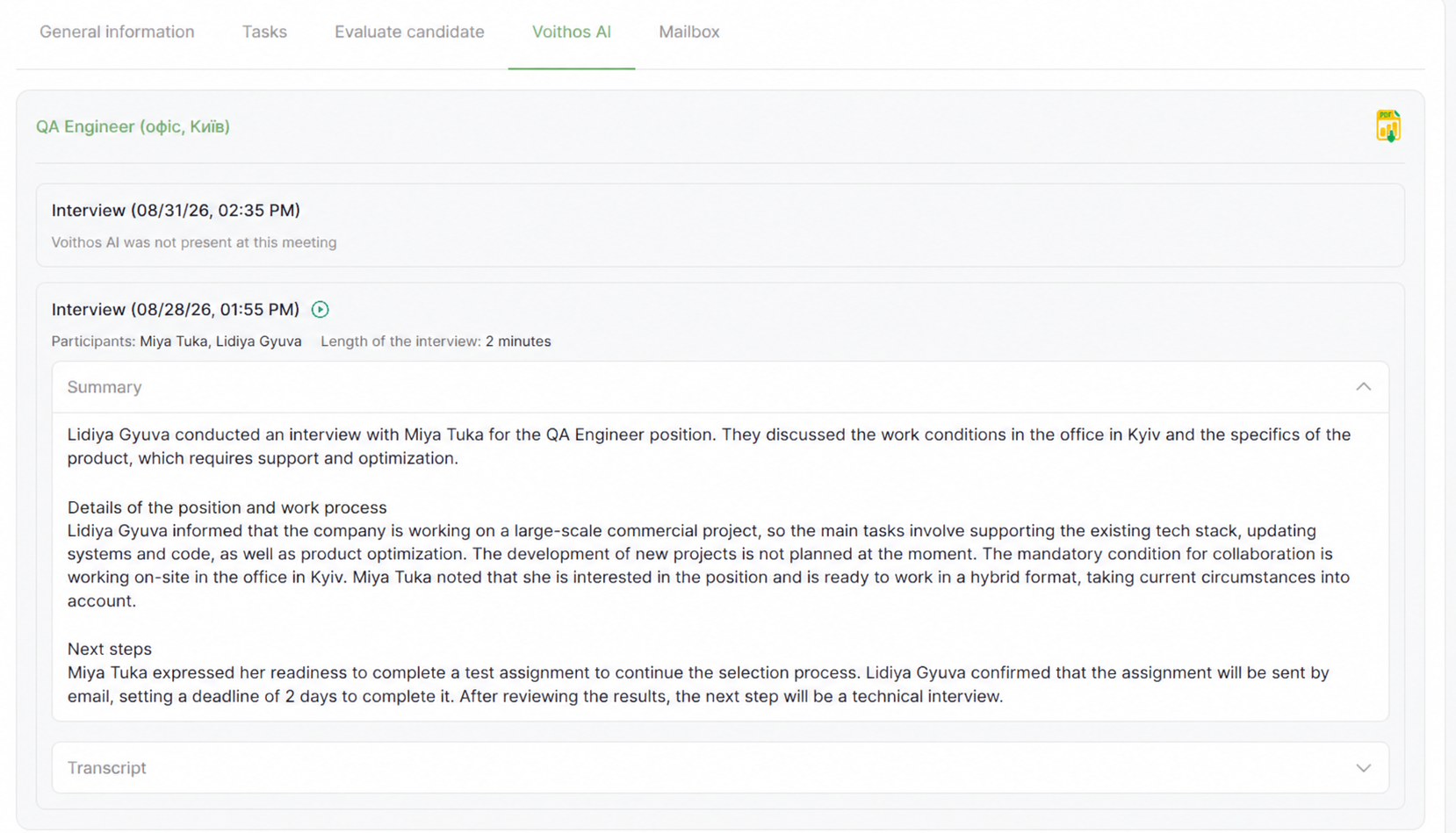
If needed, these materials can be downloaded as a PDF. This is especially convenient when interview information needs to be shared with colleagues or a client who does not have access to CleverStaff or Voithos AI.
Multiple Interviews? The Candidate’s Entire History Stays Organized
A Voithos AI icon will appear next to the candidate at every stage. Clicking it opens a window with all recorded interviews for that candidate related to the specific vacancy. Even if the candidate goes through 3–5 interviews within the same hiring process, every meeting will be recorded. You can also watch the recording, open the summary, and read the transcription without opening the candidate’s profile.
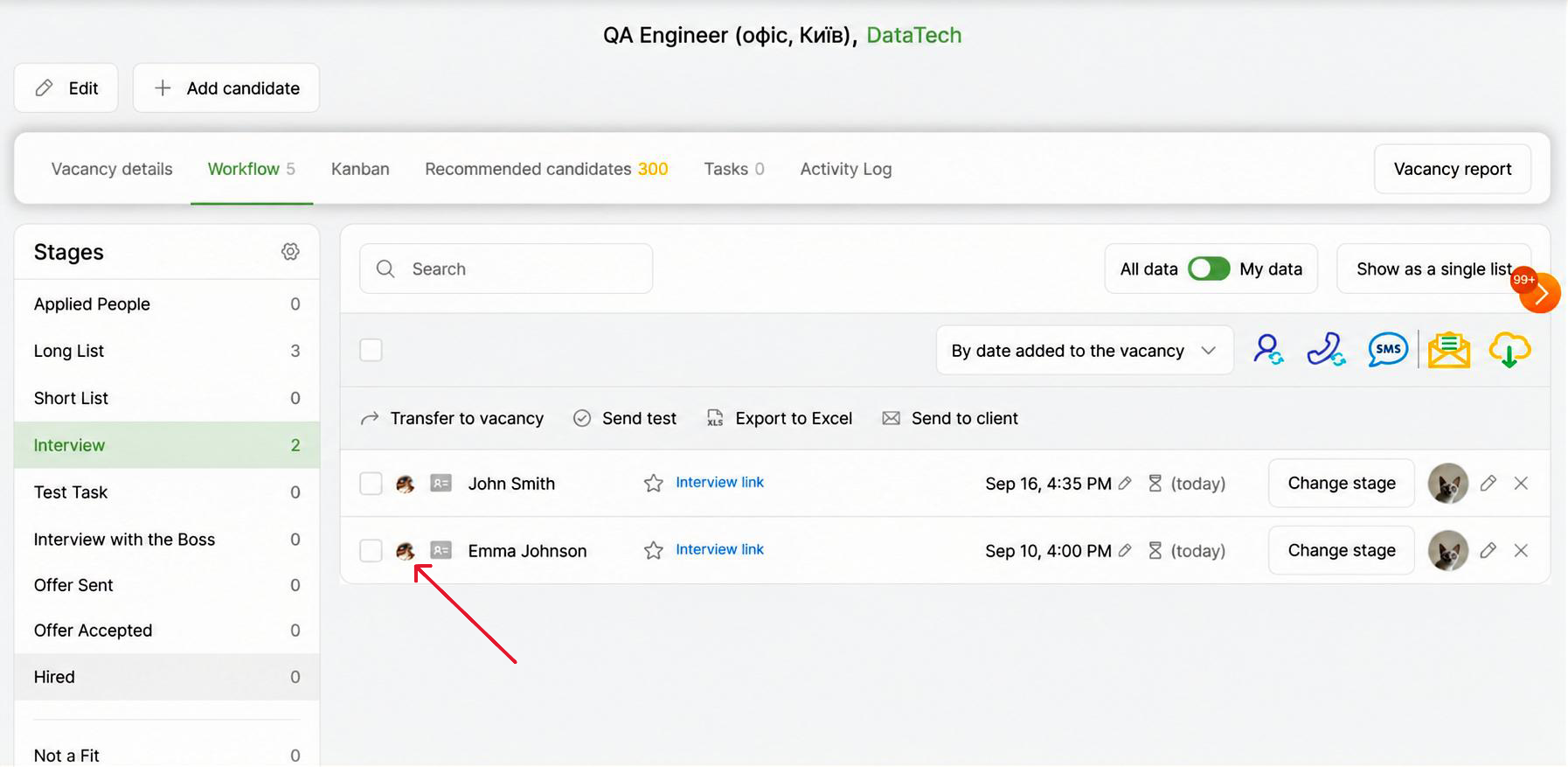
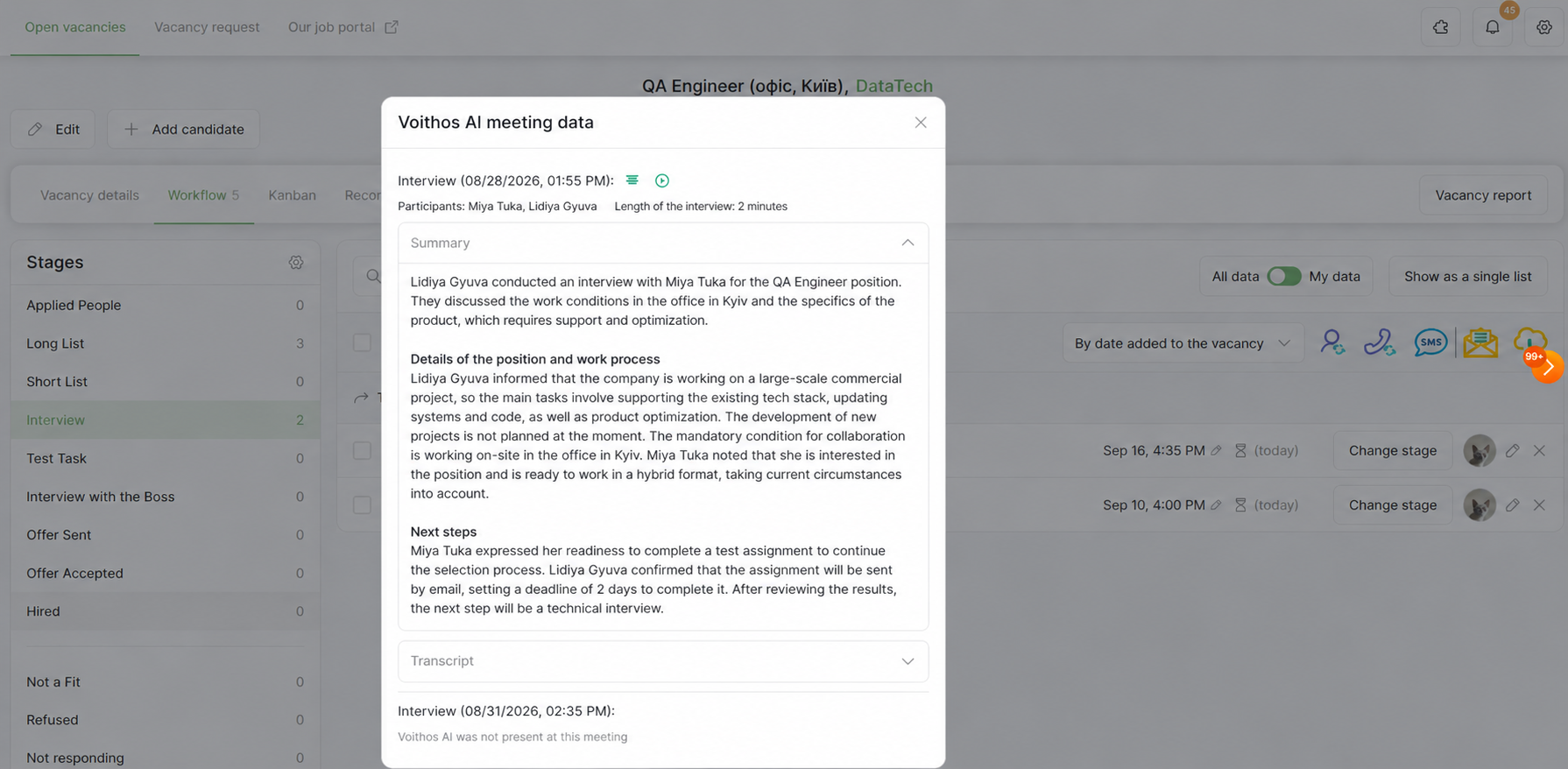
As for the candidate profile, it will store the full history of interviews involving Voithos AI, even if the candidate was considered for different positions. All records will be organized by vacancy. At a specific vacancy stage, however, the recruiter will see only the records related to that particular hiring process rather than the candidate’s entire history. This significantly saves time when reviewing the information.
In Summary
The Voithos AI integration with CleverStaff turns interviews from a routine step into a structured process where important information is never lost and always remains at hand. Recordings, transcriptions, summaries, and the entire meeting history are automatically saved in CleverStaff, allowing recruiters to focus on the candidate and the quality of their hiring decision rather than on taking notes. Try the new integration now and see how much time and effort you can save by automating interview workflows.